WorldRush

LiveYour Shopify sales on a live globe

Your hard work deserves to be seen.

Watch your Shopify orders land live on a night globe. Enjoy the moment at your desk, or share it with the whole room.
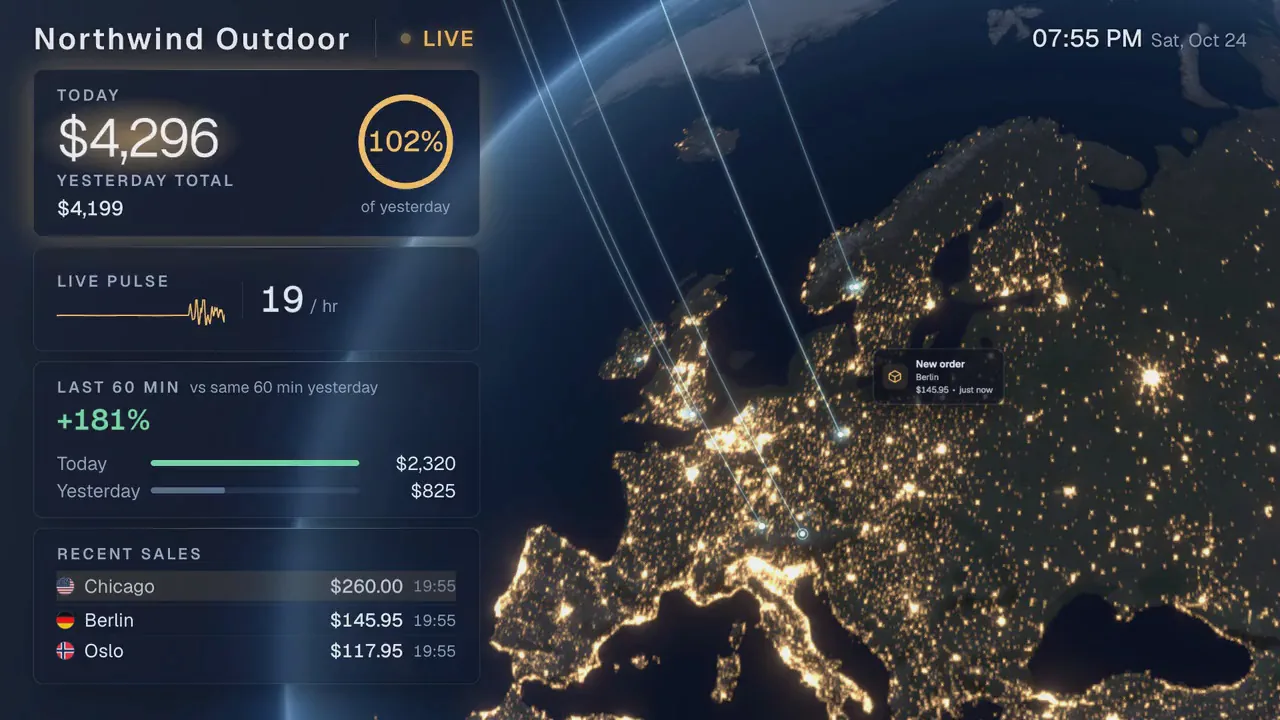
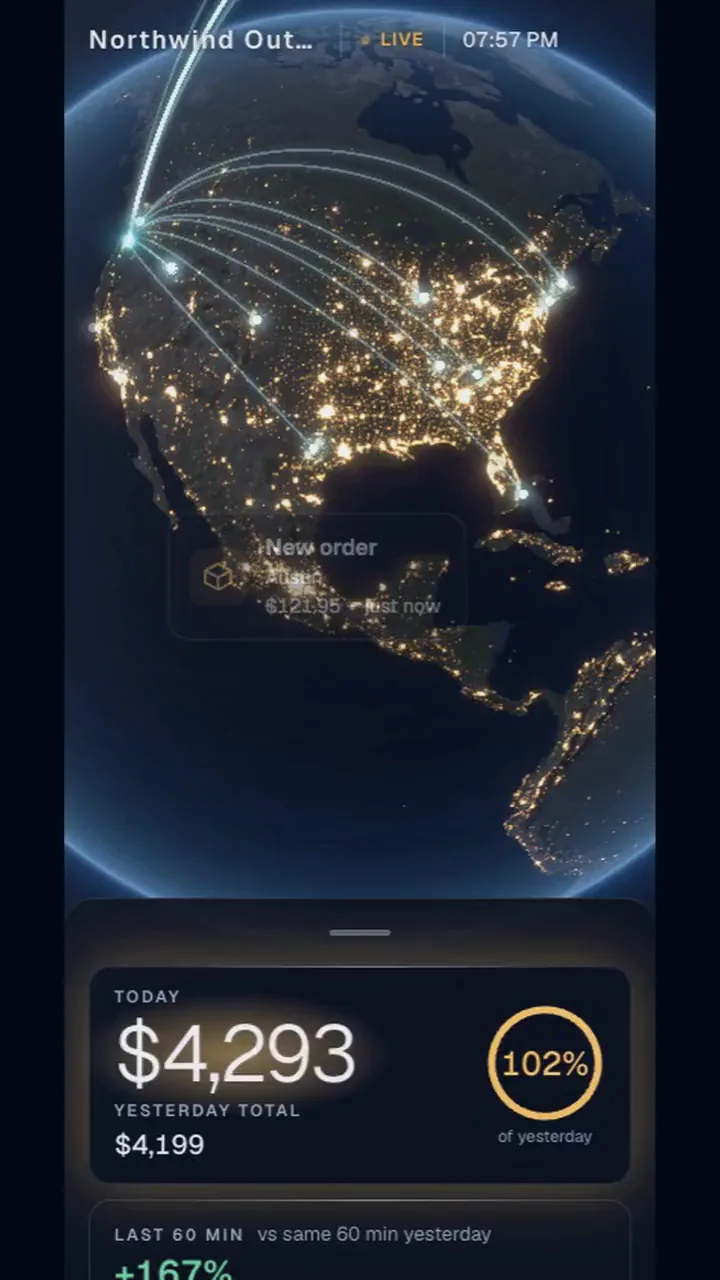
  • On TV, tablet, computer and phone
  • Works on Shopify

Put it where you work.

A team at an office table in the evening, looking up at a wall TV where orders land on a glowing night Earth.
Working together An order lands. The whole room sees it.
A founder's desk at night: a tablet on a stand beside a laptop shows today's sales passing yesterday on a night Earth.
Working solo Your orders land beside you while you work.
A hand holding a phone in a warm room; on it, the store's live globe and today's total.
On the move The same globe, in your pocket.
Launch night in a loft: a small team with drinks watches orders arc across the Earth on the wall TV.
Launch day Watch the launch land, order by order.
A small warehouse in the evening: above the packing bench, a wall TV shows each new order landing on the globe.
In the packing room Orders land on the wall where they get packed.

Watch an order land.

Will we beat yesterday?Today's sales so far, and how much of yesterday's total they already make.
How busy are we right now?Every order is a beat. The number is orders per hour.
Is this hour stronger?The last 60 minutes against the same 60 minutes yesterday.
Where did that come from?The three newest orders: the city, the amount and the time.

On the wall, on your desk, in your pocket.

Office TVThe whole room shares the moment.
ComputerYour store beside you while you work.
TabletPropped on the counter, the numbers in reach.
PhoneYour live globe, the numbers a swipe away.
Home ScreenAdd it once. It opens like an app.

Make the globe your own.

Flip a switch. The globe changes as it would on your TV.

City lights
Sale color

On the TV in three steps.

  1. Add WorldRush to your store

    From the Shopify App Store.

  2. Open the address on the TV

    Go to tv.worldrush.live in the TV's own browser. No app, no TV login. The TV shows a code.

  3. Enter the code in WorldRush

    In your Shopify admin. Your live globe opens on the TV.

Your customers stay private.

  • Customer names, emails and street addresses are never stored or shown.
  • An order's total, time and city. Orders are kept 3 days, then deleted within a day.
  • Hide the amounts on a screen the whole room can see.
Privacy details

Questions

Do I need an office TV?

No. It opens in the browser of your phone, a tablet or a computer. Add a TV whenever you like.

Which TVs work?

Open tv.worldrush.live in the TV's own browser. A browser with WebGL2 shows the moving 3D globe; others show a still picture of it with the same live numbers. Or plug a laptop into the TV.

Will it run smoothly on an older TV?

Each screen measures what it can draw and picks its own quality, so an older TV gets a simpler globe that still moves.

Does it work if I sell in one country?

Yes. Each order lands on its own city, so a store that sells at home still sees its country light up city by city.

What does WorldRush see?
One stored order, every field
Order
a3f9…e71c (scrambled)
Store
Rk3vQ8tLm2w (a code, not your domain)
Time
2026-10-01 14:32
Total
EUR 79.00
Place
Ljubljana, SI
City point
46.05, 14.51
Precision
City level

We never see

  • Products and quantities
  • Customer names, emails and phones
  • Street addresses and zip codes
  • Payment and discount details

Orders are kept 3 days, then deleted within a day. Uninstall and your orders, screens and settings are deleted 48 hours later, unless you reinstall first. Privacy details


Give every order its moment.